

Personalised Cats Anniversary Card for Partner
Personalised Cats Anniversary Card for Partner
Couldn't load pickup availability
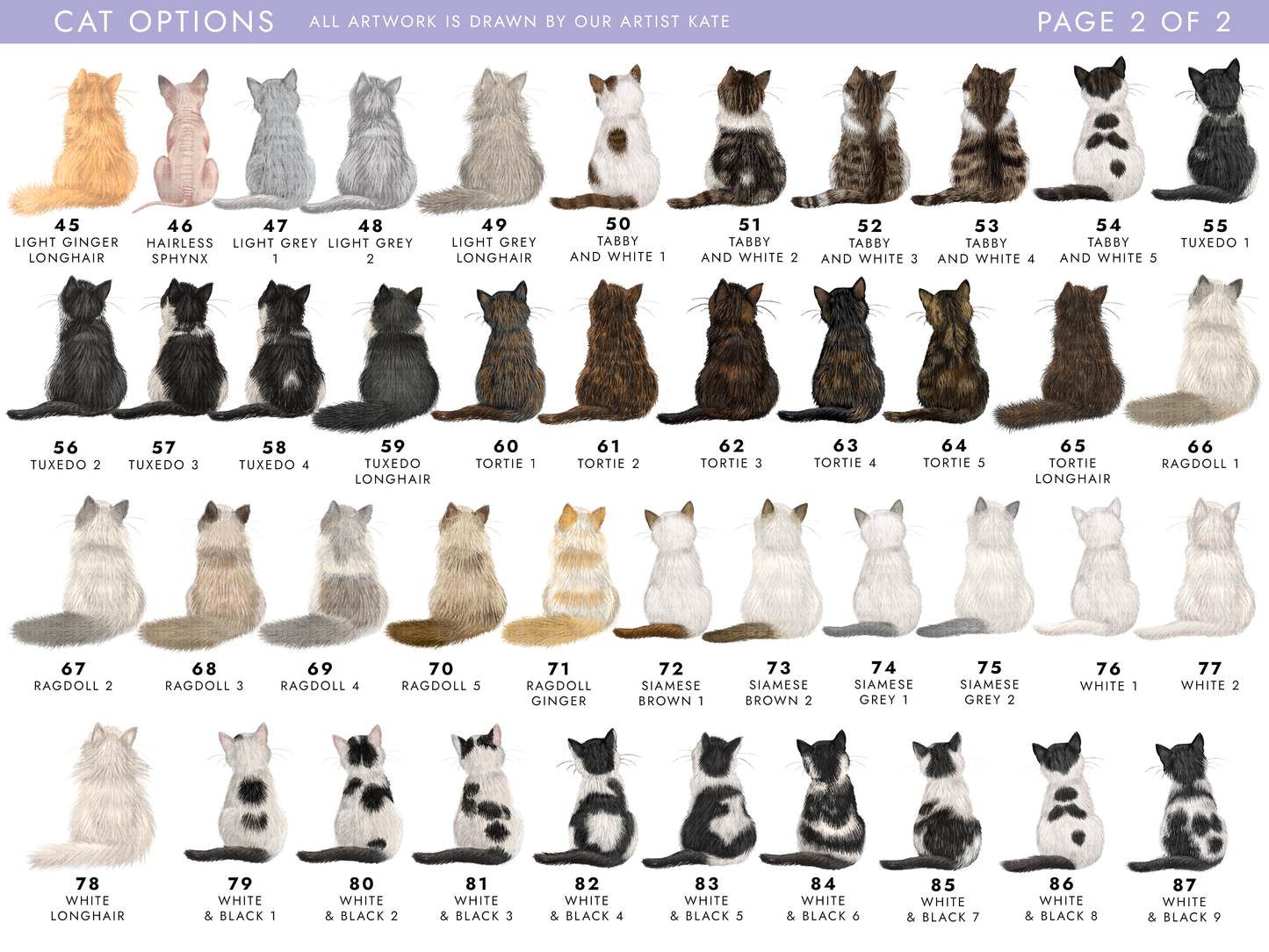
This special Personalised Cat Anniversary Card is purrfect for your other half - choose from over 80+ cat designs with a wide range of colours and breeds to create a truly unique anniversary card from the cats or yourself! Ideal for both Him and Her, for relations such as Girlfriend, Boyfriend, Husband, Wife, Fiancé, Fiancée and Partner.
🐱 Choose from 80+ Cats
Choose from over 80 different hand-drawn cat designs, including Tabby, Calico, Ginger, Ragdoll, Bengal, Tortoiseshell, Black, White, Grey, Tuxedo and many more. Personalise your card with 1 - 6 cats to create the perfect card for any cat lover.
🎉 Personalise the Wording
Every card is personalised to order. You can:
• Add the recipient's name
• Add any anniversary year (optional)
Add any anniversary to make it suitable for any year, such as 1st (paper anniversary), 2nd (cotton anniversary), 3rd (leather anniversary), 10th (tin anniversary), 20th (china anniversary) or 30th (pearl anniversary)
• Change any of the wording to your own message
Details
Details
Size: 5.8 x 5.8 inches / 14.8 x 14.8cm
Card: 300gsm, FSC Approved Grade
Envelope: 100gsm, comes with free envelope sticker to seal with
Packaging: Your order will be wrapped in lilac tissue paper and popped in a boardback envelope for shipping, each card comes with it's own envelope
Sending to Recipient
Sending to Recipient
To send to the recipient, please let us know when placing the order - your card will be sealed in it's envelope with the sticker. It'll still be sent in a boardback envelope to keep it protected. Remember to include their address at checkout, and don't forget to include an inside message!
Personalising Your Card
Personalising Your Card
The text on any of our card designs can be changed to whatever you'd like. If you'd like to change the standard text, or would like a number or relation that's not available on the drop-down list, select the 'Other (Specify)' option. You can select 'Change Outside Wording' - enter the wording you'd like into the box. If you would like anything else changing such as colours or artwork changes, please contact us before placing your order.
Share