

Personalised Cat and Dog New Home Card
Personalised Cat and Dog New Home Card
Couldn't load pickup availability
Say 'Congratulations on your New Home' with this special Personalised Dog and Cat Just Moved Card! Ideal for friends and family, along with their pets, when they've moved to a new house.
Details:
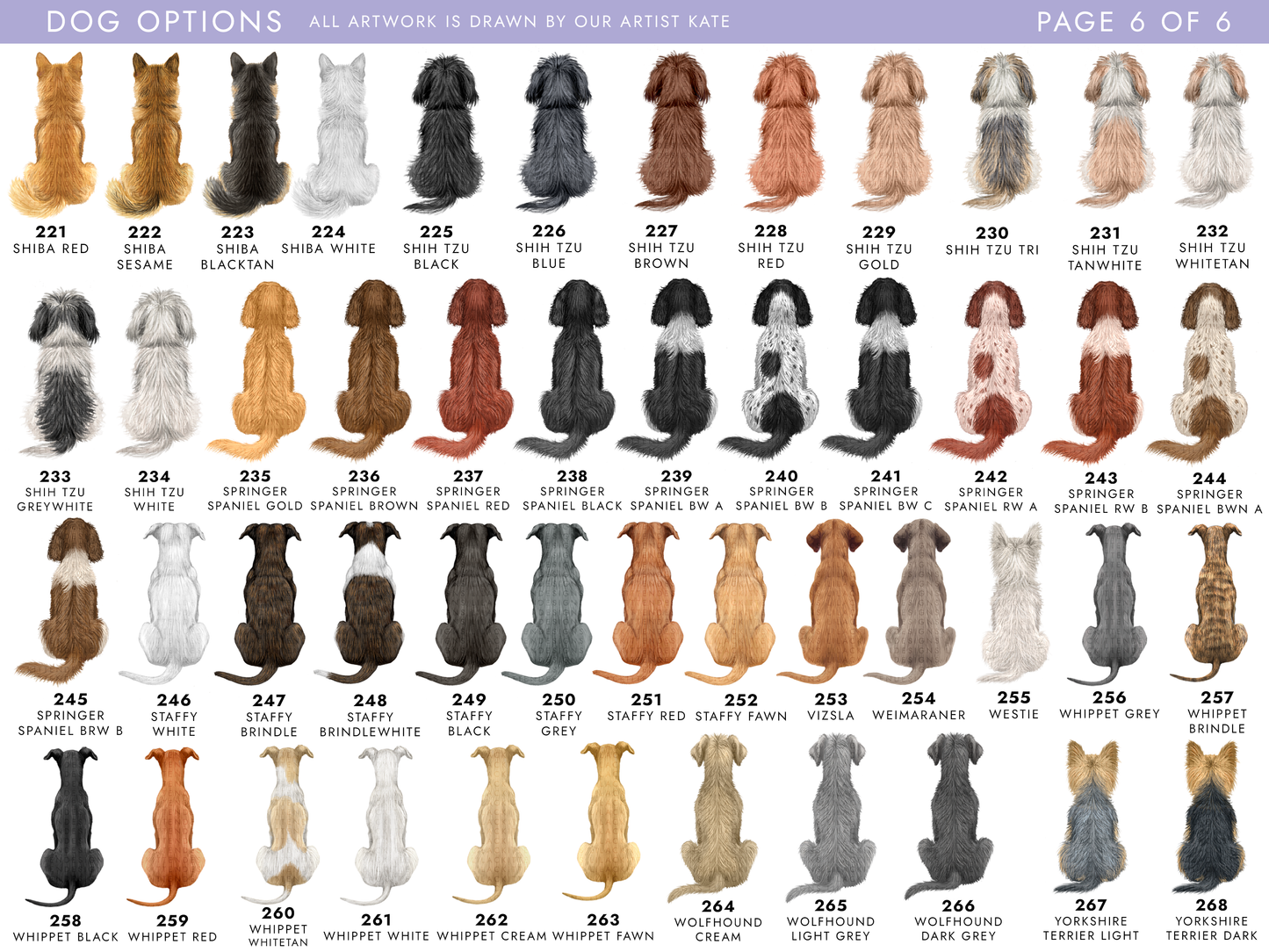
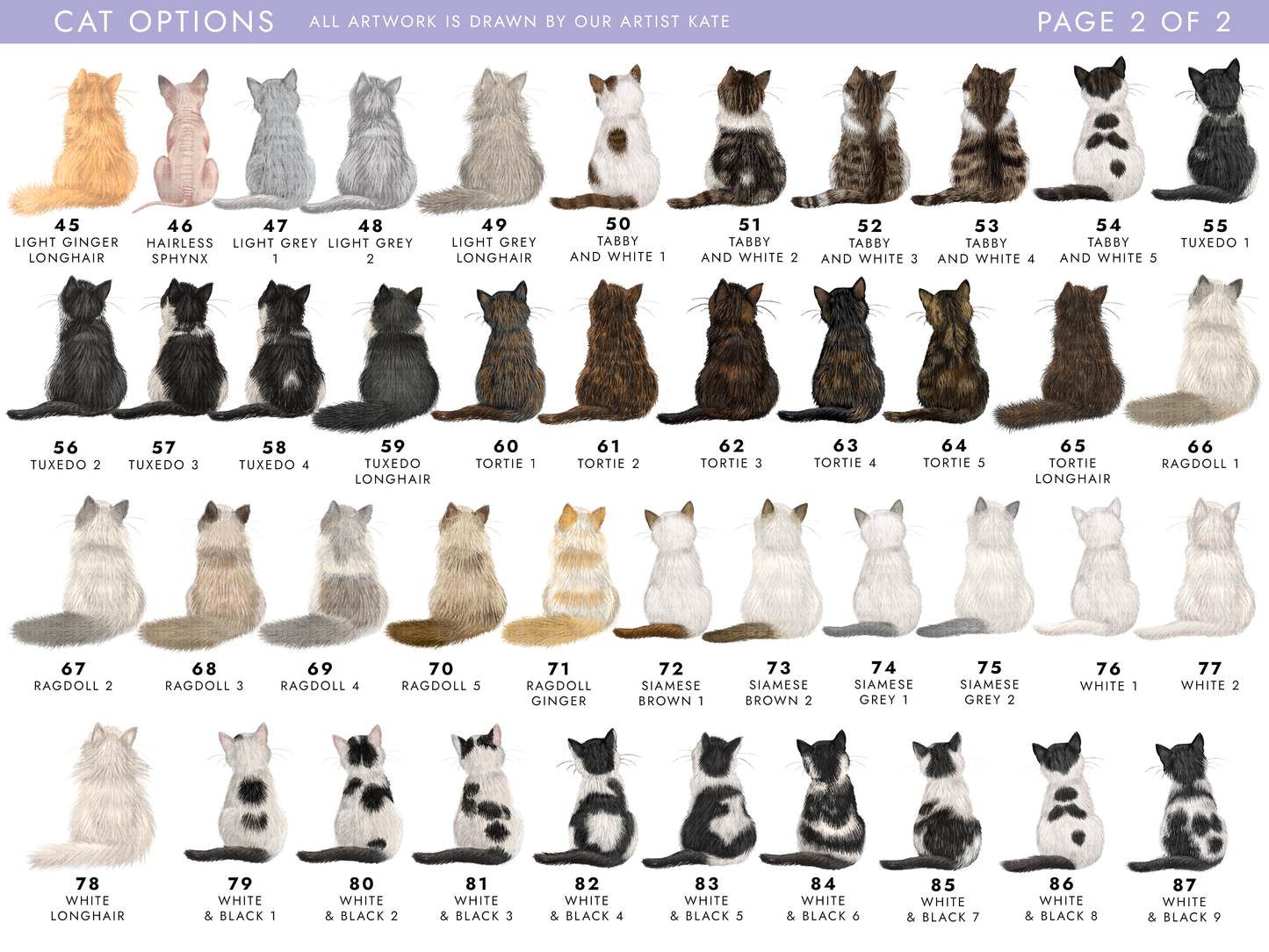
- Choose from 268 different dog designs and 87 cat designs
- Please view the photos to see the designs - each dog and cat has a unique number underneath
- You can search the options box with the number/breed you'd like
- Add up to 6 pets on one card
- We have a huge amount of breeds for you to choose from, including dog breeds like Labrador, Golden Retriever, Dachshund, Cockapoo, Spaniels, Terriers, Jack Russell, Husky, Border Collie, German Shepherd, Chihuahua, Staffy, Westie - and more!
- Lots of cat designs including Tabby, Ginger, Ragdoll, Black, White, Tuxedo, Bengal, Tortoiseshell, Calico and more!
- Add names, address info and date to the card
- If you'd like to add the address info and/or moving date, use the outside text box
This card comes with a brown fleck envelope.
Details
Details
Size: 5.8 x 5.8 inches / 14.8 x 14.8cm
Card: 300gsm, FSC Approved Grade
Envelope: 100gsm, comes with free envelope sticker to seal with
Packaging: Your order will be wrapped in lilac tissue paper and popped in a boardback envelope for shipping, each card comes with it's own envelope
Sending to Recipient
Sending to Recipient
To send to the recipient, please let us know when placing the order - your card will be sealed in it's envelope with the sticker. It'll still be sent in a boardback envelope to keep it protected. Remember to include their address at checkout, and don't forget to include an inside message!
Personalising Your Card
Personalising Your Card
The text on any of our card designs can be changed to whatever you'd like. If you'd like to change the standard text, or would like a number or relation that's not available on the drop-down list, select the 'Other (Specify)' option. You can select 'Change Outside Wording' - enter the wording you'd like into the box. If you would like anything else changing such as colours or artwork changes, please contact us before placing your order.
Share